The execution task type is a specific task containing list of steps in order to track a specific job (procurement steps, construction steps, etc.)
Create Step:
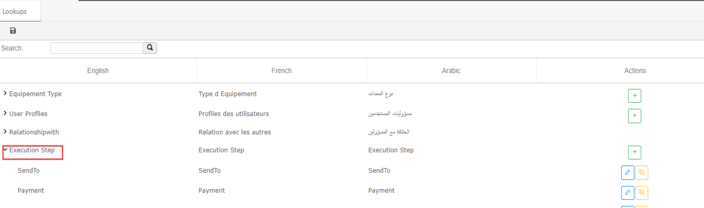
In the Request Management Module => Go to Settings > lookup :
Click on + button to create the steps to be used in the execution task.
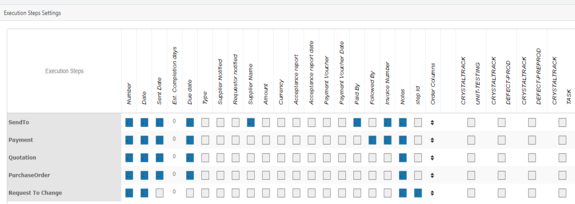
Go to Go to Settings > Tasks > Execution Steps.
Steps are on the right of the screen each row is a step.
Field are on the top, the user selects the field in the top to be display in the step.
User can also link each step to a category or subcategory.
Linked steps will only be available on the linked category or subcategory.
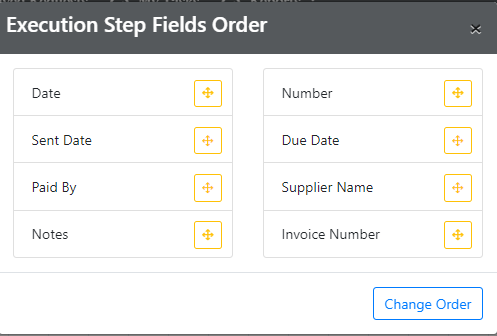
On each row (step) we have order columns, click on order column.
User can drag and drop between fields to organize the order as he likes and click on change order, the fields will be display in the UI based on the order.
Click on the save button on the top left of the tab to save ALL changes of the page.


 contact@evolusys.com