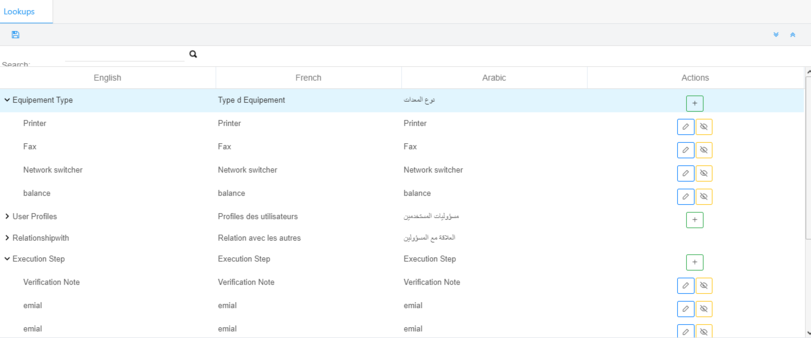
Go to Settings > Lookups:
Type in the Search box to search for a profile.
Click on the + button under Actions to add a profile to the existing categories.
Click on the edit button under Actions to edit a profile.
Click on the activate / deactivate button under Actions to activate / deactivate a profile.
Concepts:
This is a list of all profiles used in the requests workflow.
The user creates a process for the workflow, and each task of the process must have a profile.
The profiles created and used in the process will also be available in the sub-category to be linked to users.
System lookups are created once by a super user and cannot be edited


 contact@evolusys.com