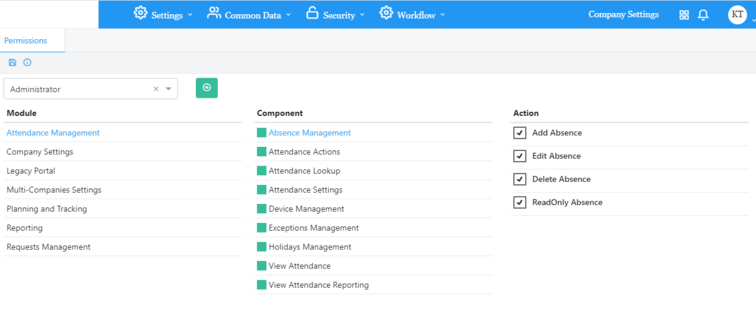
The different permissions of the application are defined by three levels:
Modules in Crystaltrack.
Components of each module.
Actions of each component.
A role is defined as a set of actions (through components and modules).
A user can have zero or many roles (zero means the user is known by the system but cannot use it).
Created roles can be edited and / or deleted.
Create Role:
Click on add button.
Enter the role name in the text box then click on create button.
Screen of modules, components and actions is displayed with default "all actions check boxes are unchecked".
For each component of a module select the action desired.
Click on Save.
Edit Role:
Click on the edit button beside the role name in the list.
Delete Role:
To delete a role, click on the delete button linked to the role name then confirm deletion.
A role will not be deleted if it is assigned to one or more users.


 contact@evolusys.com