Identity:
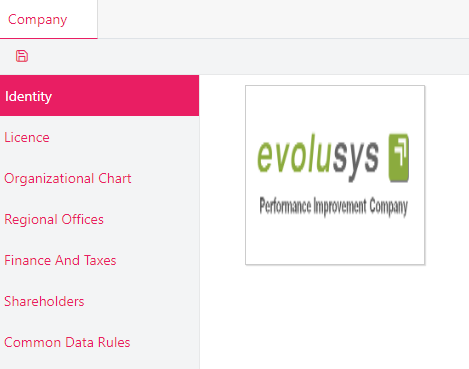
Company Identity displays the company logo and company's info fields such as Name, Display Name (displayed on the left of the menu toolbar), Address, etc.
Enter all mandatory fields and / or optional fields and click on the Save button at the top left corner of the page.
To modify the fields, just type the new info in the desired field box and click on Save.
Upload / Edit / Delete logo (profile photo):
Hover over the logo and click on the upload icon.
Choose an image from your directory and click open.
Click on Save.
Click on the upload icon again to edit the image.
Click on the delete button to remove the image.
License:
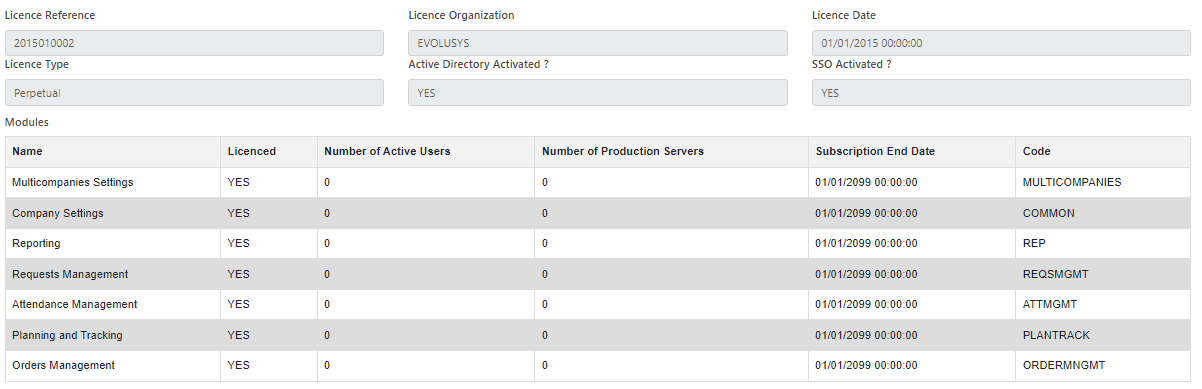
Give all license information about the product:
Organizational Chart:
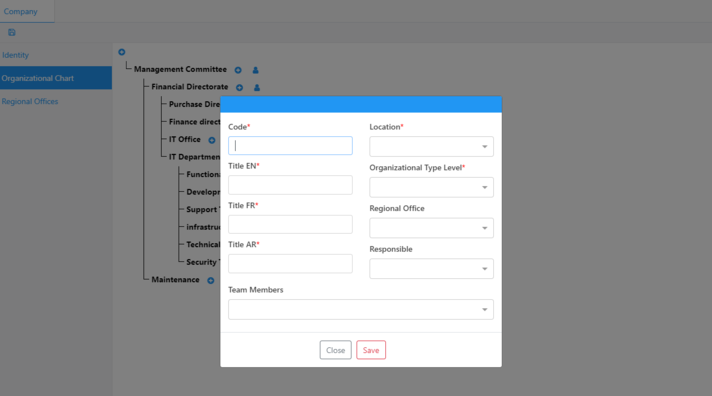
This is the hierarchical chart of the company:
Click on the + button to add a new level.
Click on the person icon to edit the current level.
Enter all mandatory fields.
Choose the regional office (This field is synced with the Regional Offices tab).
Click on Save.
Regional Offices:
This is the list of the regional offices of the company:
Click on the + button to add a new regional office.
Enter all mandatory fields.
Choose the organizational level (This field is synced with the Organizational Chart tab).
Click on Save.
Finance and Taxes:
Information about currencies and VAT information.
Shareholders:
Information about shareholders.
Common Data Rules:
List of optional rules to be applied as:
Mandatory Branch For Customer
Mandatory Branch For Warehouse
Line Manager must belong to the Organizational Chart


 contact@evolusys.com