This page specifies settings how attendance can be read from device directly:
Add device:
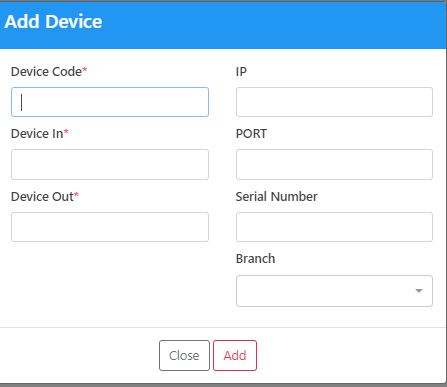
Click on (+) on the left top of the screen a pop up message will open as following:
The user add a device code , In, out IP , Port and serial number.
Click the add button and save the data.
The device is ready to start retrieving data from the machine.
User can edit the device and save the changes.


 contact@evolusys.com