ATTMGMT Attendance Settings
Settings > General Settings:
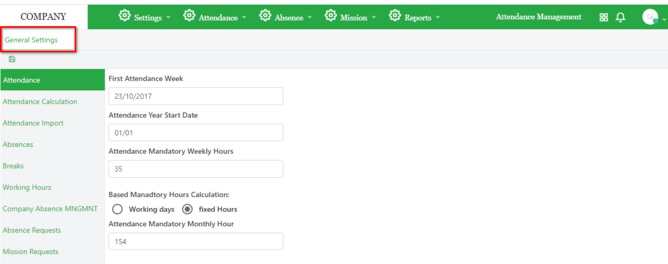
General settings page has multiple tab options that are related to the general setting of attendance management, General setting page opens the attendance tab by default.
Section - Attendance:
First attendance week:
The system will start calculating the attendance from the first attendance week.
Attendance mandatory weekly hours:
Total number of hours the employee is supposed to cover per week.
Based mandatory hours calculation:
Working days or fixed hours.
Working days => the system will divide the mandatory weekly hours by the number of working days excluding holidays to calculate daily working hours.
Attendance mandatory monthly hours:
Number of hours that must be covered per month.
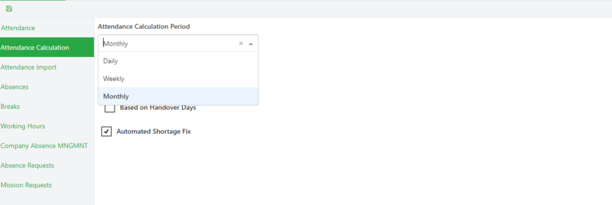
Section - Attendance Calculation:
This page shows a set of settings defined for calculating the attendance:
Attendance calculation period:
Drop down containing calculation periods: Monthly, Weekly, or Daily.
Handover management type:
Determines the management of handover hours (% of mandatory hours or handover days).
When user choose handover type to be based on percentage of mandatory hours he must enter the percentage of the total number of hours that the user will be working for free.
When user choose handover type to be based on handover days he must enter the number of days the user will be working for free.
Automated shortage Fix:
When checked, it subtracts the shortage of the working hours from the annual leave Balance.
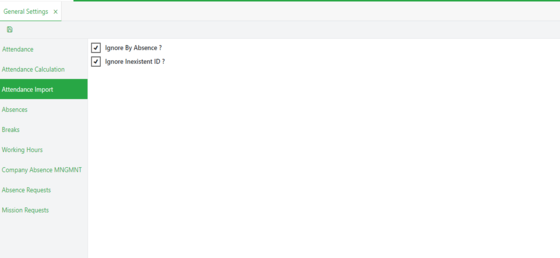
Section - Attendance Import:
Ignore by absence:
When checked excludes the absence days of the users from the imported attendance file.
Ignore in-existent id:
excludes users with in-existent ids from the imported attendance file.
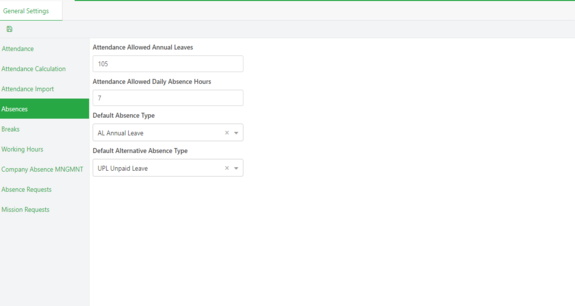
Section - Absences:
Attendance allowed annual leaves:
Total annual leave number of hours per year.
Attendance allowed daily absence hours:
Number of daily hours for one day absence.
Default absence type:
Default value of the absence type.
Default alternative absence type:
Absence type to replace the default one in case the employee has exceeded his allowed annual leave.
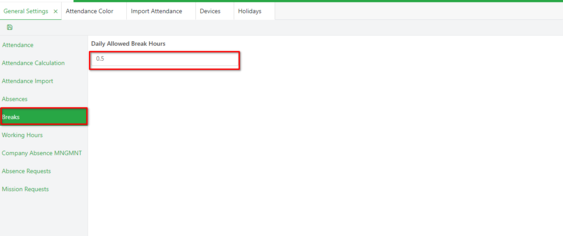
Section - Breaks:
Daily Allowed Break Hours:
Number of hours allowed for daily breaks.
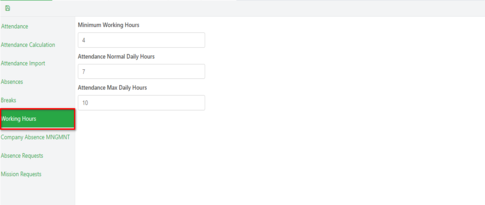
Section - Working Hours:
Minimum, maximum and normal working daily hours that reflects in the attendance.
Section - Company Absence Management:
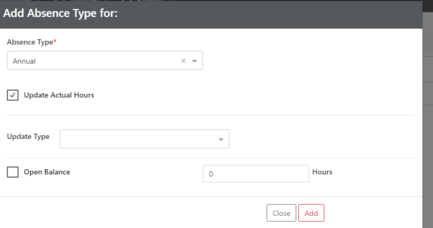
Absence Type:
Absence type for operation.
Update Actual hours:
If selected => the system will update the actual hours when this absence type is added in the attendance view.
Update type:
The update of actual hours can be by increasing or decreasing hours as following:
Increase by percentage: percentage of daily attendance hours.
Decrease by percentage: percentage of daily attendance hours.
Increase by specific hours: specific number of hours.
Decrease by specific hours: specific number of hours.
Increase by normal daily hours.
Decrease by normal daily hours.
Open Balance:
If checked => the selected absence has no balance.
If not checked => the user has to add the balance for the selected absence.
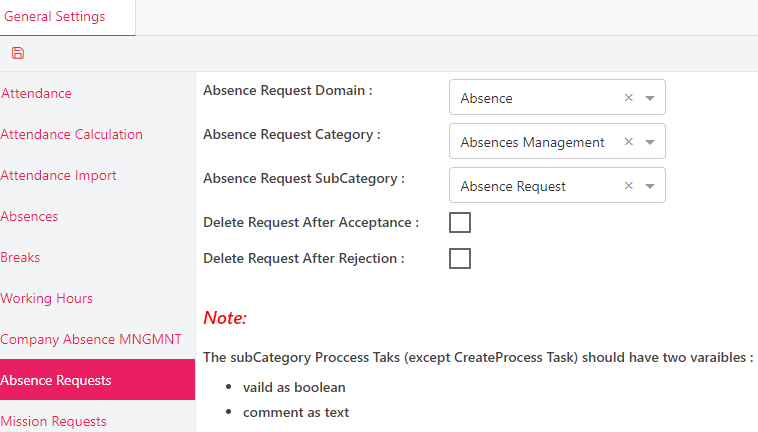
Section - Absence Requests:
Absence Request Domain:
Domain of the process to be applied to the absence requests.
Absence Request Category:
Category of the the absence requests.
Absence Request Subcategory:
Subcategory of the the absence requests.
Delete Request After Acceptance:
If checked => the request will be deleted after final validation.
Delete Request After Rejection:
If checked => the request will be deleted after its rejection.
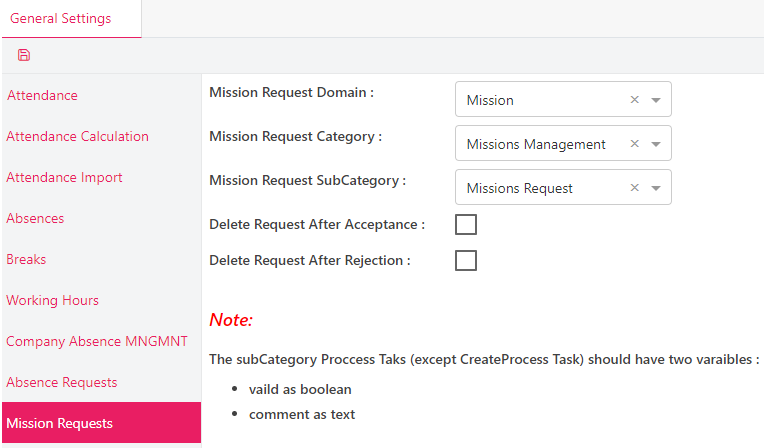
Section - Mission Requests:
Mission Request Domain:
Domain of the process to be applied to the mission requests.
Mission Request Category:
Category of the the mission requests.
Mission Request Subcategory:
Subcategory of the the mission requests.
Delete Request After Acceptance:
If checked => the request will be deleted after final validation.
Delete Request After Rejection:
If checked => the request will be deleted after its rejection.
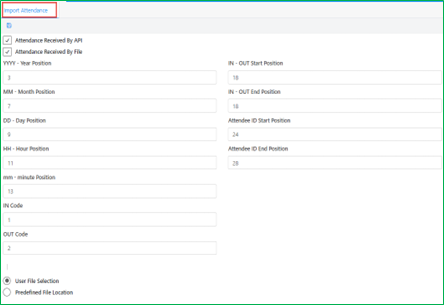
Settings > Import Attendance:
This page specifies settings related to how do the attendance get imported:
Attendance received by API:
Allows the system to import the attendance from API (could be called by the Attendance Collector).
Attendance file configuration:
User set the position of all the field related to the attendance file.
The position of fields determines the format of the attendance file.
Attendance received by file:
Allows the system to import the attendance from a file.
Two ways to import the attendance form file:
User file selection : If checked the user can open a folder and choose file to upload.
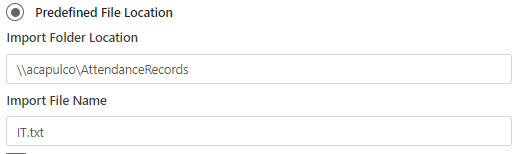
Predefined file location : If checked the file can be imported by two ways :
Directly from the server: where the application is operate , user choose the file location and name:
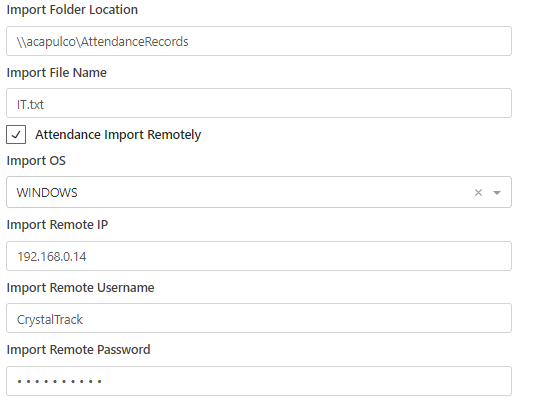
Remotely : connect to another server to read the file:
User choose the file location and name and specify the operating system, the IP server, the username, and the password:


 contact@evolusys.com