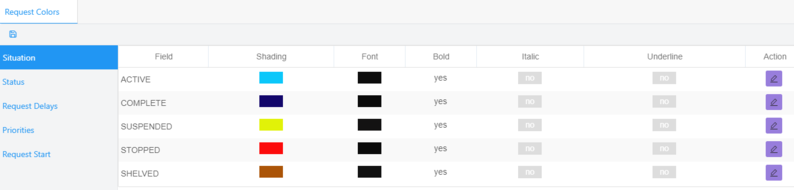
Settings > View > Request Colors:
Choose color configuration for fields to be display in the request page.
User has the option to choose specific colors for every field of particular attributes in the request Page.
Under Actions click on the edit button to change the shading and fonts.
Click Save to save changes or Close to close the window.
Click on the save button on the top left of the tab to save ALL changes of the page.


 contact@evolusys.com